Swarajability: Designing a More Inclusive Job Platform For Persons With Disabilities
Swarajability: Designing a More Inclusive Job Platform For Persons With Disabilities
Swarajability: Designing a More Inclusive Job Platform For Persons With Disabilities
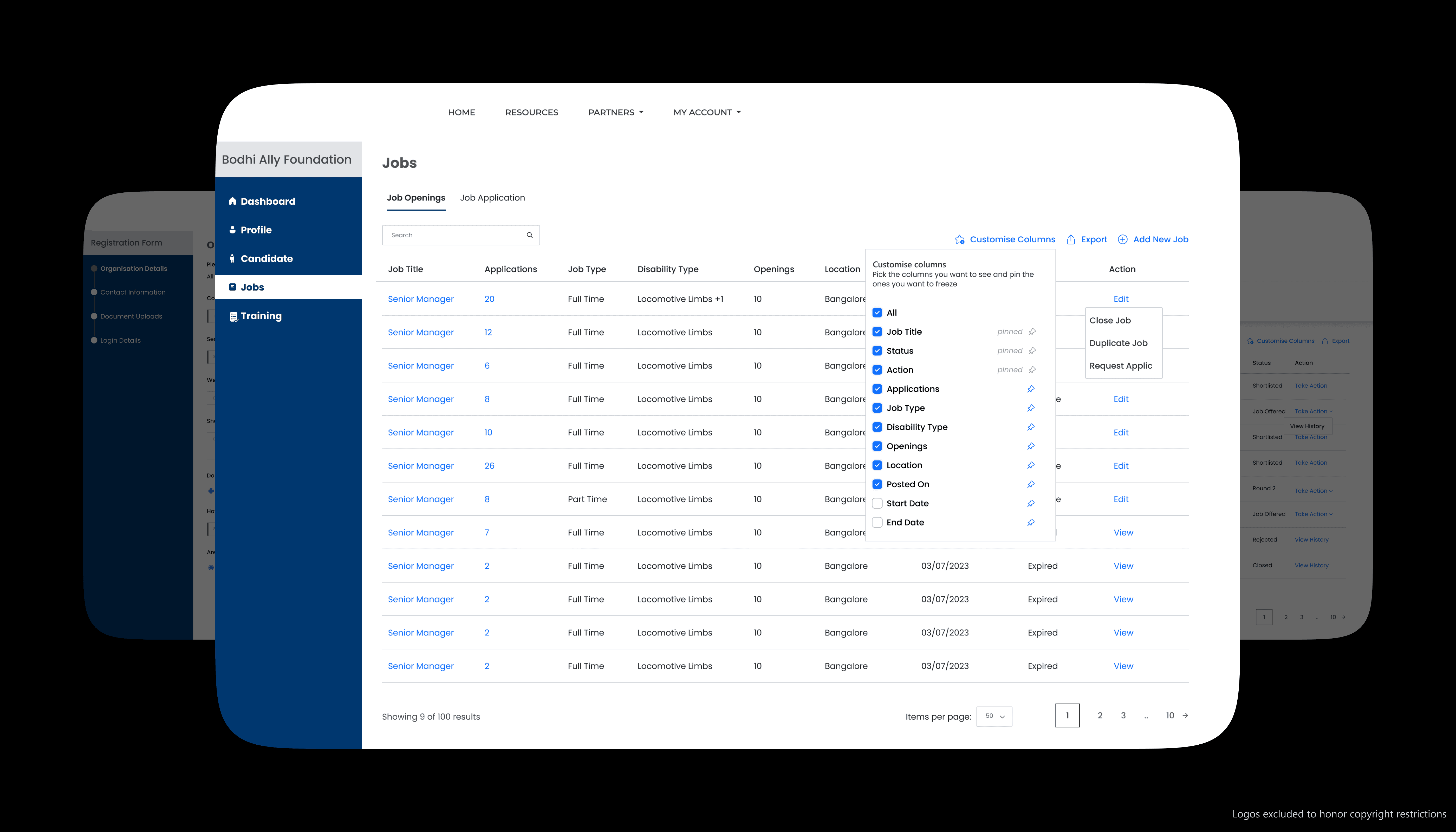
About
My Role
UX Designer
Platform
Web Application
Responsibilities
Accessibility | Design System | Flow & Interaction Design
Timeline
September 2023 - January 2024
Team
Vinni Karn (UX Lead)
Kunal Tainwala (Senior UX Designer)
Disclaimer: Some specific information, logos, or content related to the project have been excluded from this portfolio due to copyright and confidentiality agreements. While I am unable to display proprietary or sensitive materials, I am happy to discuss my role, contributions, and the design process in more detail during an interview or in a confidential setting. Thank you for your understanding.
The Context
India has millions of persons with disabilities, yet employment systems often fail to support them meaningfully. Traditional job portals tend to overlook accessibility, creating barriers in tasks as basic as navigating pages, completing forms, and understanding next steps. SwarajAbility aimed to create a more inclusive path to employment by designing a platform that could better support the needs of PwD users at scale.
India has millions of persons with disabilities, yet employment systems often fail to support them meaningfully. Traditional job portals tend to overlook accessibility, creating barriers in tasks as basic as navigating pages, completing forms, and understanding next steps. SwarajAbility aimed to create a more inclusive path to employment by designing a platform that could better support the needs of PwD users at scale.
26.8 million
26.8 million
Persons with disabilities in India, according to the latest official nationwide count
Persons with disabilities in India, according to the latest official nationwide count
22.8%
22.8%
PwDs aged 15+ who were working in the latest national survey
PwDs aged 15+ who were working in the latest national survey
For me, contributing meaningfully to this project first meant understanding both the users it served and the accessibility principles that should shape the product.
For me, contributing meaningfully to this project first meant understanding both the users it served and the accessibility principles that should shape the product.
Understanding The Users
To design purposeful experiences for the users of the web application, I focused on understanding who they were, their pain points, and their goals. I took the initiative to actively engage in team meetings with the client, ask clarifying questions, and dive into available user feedback and research to ensure the platform would best support their needs.
To design purposeful experiences for the users of the web application, I focused on understanding who they were, their pain points, and their goals. I took the initiative to actively engage in team meetings with the client, ask clarifying questions, and dive into available user feedback and research to ensure the platform would best support their needs.
So who would be using the platform?
1. PwDs seeking employment
2. Employers seeking to employ PwDs
3. NGOs
4. Government Organizations
So who would be using the platform?
1. PwDs seeking employment
2. Employers seeking to employ PwDs
3. NGOs
4. Government Organizations
So who would be using the platform?
1. PwDs seeking employment
2. Employers seeking to employ PwDs
3. NGOs
4. Government Organizations
Understanding Accessibility Standards
I researched online to deepen my understanding of accessibility standards and best practices. I also discussed with senior designers in the team to learn about practical applications and challenges in creating accessible experiences. Through this, I gained insights into the following key concepts.
I researched online to deepen my understanding of accessibility standards and best practices. I also discussed with senior designers in the team to learn about practical applications and challenges in creating accessible experiences. Through this, I gained insights into the following key concepts.
So what did I learn?
1. WCAG 2.1 Guidelines: Understanding the core principles of WCAG - Perceivable, Operable, Understandable, and Robust (POUR) and learning to implement them.
2. Assistive Technologies: Gaining familiarity with tools like screen readers (e.g., VoiceOver, NVDA, JAWS), voice recognition software, and alternative input devices.
3. Color Contrast and Visual Accessibility: Recognizing the importance of high contrast and readable fonts for users with visual impairments, and understanding tools to test color contrast and text legibility.
4. Keyboard Navigation: Understanding how critical it is for users with motor disabilities to navigate a website without relying on a mouse, and ensuring all interactive elements are keyboard accessible.
5. Accessible Forms and Input Fields: Realizing the importance of making forms usable for everyone, from proper labeling and error handling to clear instructions and visual cues.
6. Clear and Simple Language: Learning the significance of clear, concise language for users with cognitive disabilities, ensuring content is easily understandable.
So what did I learn?
1. WCAG 2.1 Guidelines: Understanding the core principles of WCAG - Perceivable, Operable, Understandable, and Robust (POUR) and learning to implement them.
2. Assistive Technologies: Gaining familiarity with tools like screen readers (e.g., VoiceOver, NVDA, JAWS), voice recognition software, and alternative input devices.
3. Color Contrast and Visual Accessibility: Recognizing the importance of high contrast and readable fonts for users with visual impairments, and understanding tools to test color contrast and text legibility.
4. Keyboard Navigation: Understanding how critical it is for users with motor disabilities to navigate a website without relying on a mouse, and ensuring all interactive elements are keyboard accessible.
5. Accessible Forms and Input Fields: Realizing the importance of making forms usable for everyone, from proper labeling and error handling to clear instructions and visual cues.
6. Clear and Simple Language: Learning the significance of clear, concise language for users with cognitive disabilities, ensuring content is easily understandable.
So what did I learn?
1. WCAG 2.1 Guidelines: Understanding the core principles of WCAG - Perceivable, Operable, Understandable, and Robust (POUR) and learning to implement them.
2. Assistive Technologies: Gaining familiarity with tools like screen readers (e.g., VoiceOver, NVDA, JAWS), voice recognition software, and alternative input devices.
3. Color Contrast and Visual Accessibility: Recognizing the importance of high contrast and readable fonts for users with visual impairments, and understanding tools to test color contrast and text legibility.
4. Keyboard Navigation: Understanding how critical it is for users with motor disabilities to navigate a website without relying on a mouse, and ensuring all interactive elements are keyboard accessible.
5. Accessible Forms and Input Fields: Realizing the importance of making forms usable for everyone, from proper labeling and error handling to clear instructions and visual cues.
6. Clear and Simple Language: Learning the significance of clear, concise language for users with cognitive disabilities, ensuring content is easily understandable.
Accessibility could not be treated as a final check. It had to be reflected in the system, the workflows, and the smallest interaction details.
Accessibility could not be treated as a final check. It had to be reflected in the system, the workflows, and the smallest interaction details.
My Contribution
Helping build accessibility into the product foundation
My contribution focused on supporting the product’s accessibility foundation across reusable components, workflow patterns, and form-heavy experiences. I worked closely with the team to translate accessibility thinking into clearer, more consistent UI patterns and task flows that could better support a wide range of users.
My contribution focused on supporting the product’s accessibility foundation across reusable components, workflow patterns, and form-heavy experiences. I worked closely with the team to translate accessibility thinking into clearer, more consistent UI patterns and task flows that could better support a wide range of users.
This work happened across three connected layers: the design system, the workflows, and the interaction details within forms.
This work happened across three connected layers: the design system, the workflows, and the interaction details within forms.
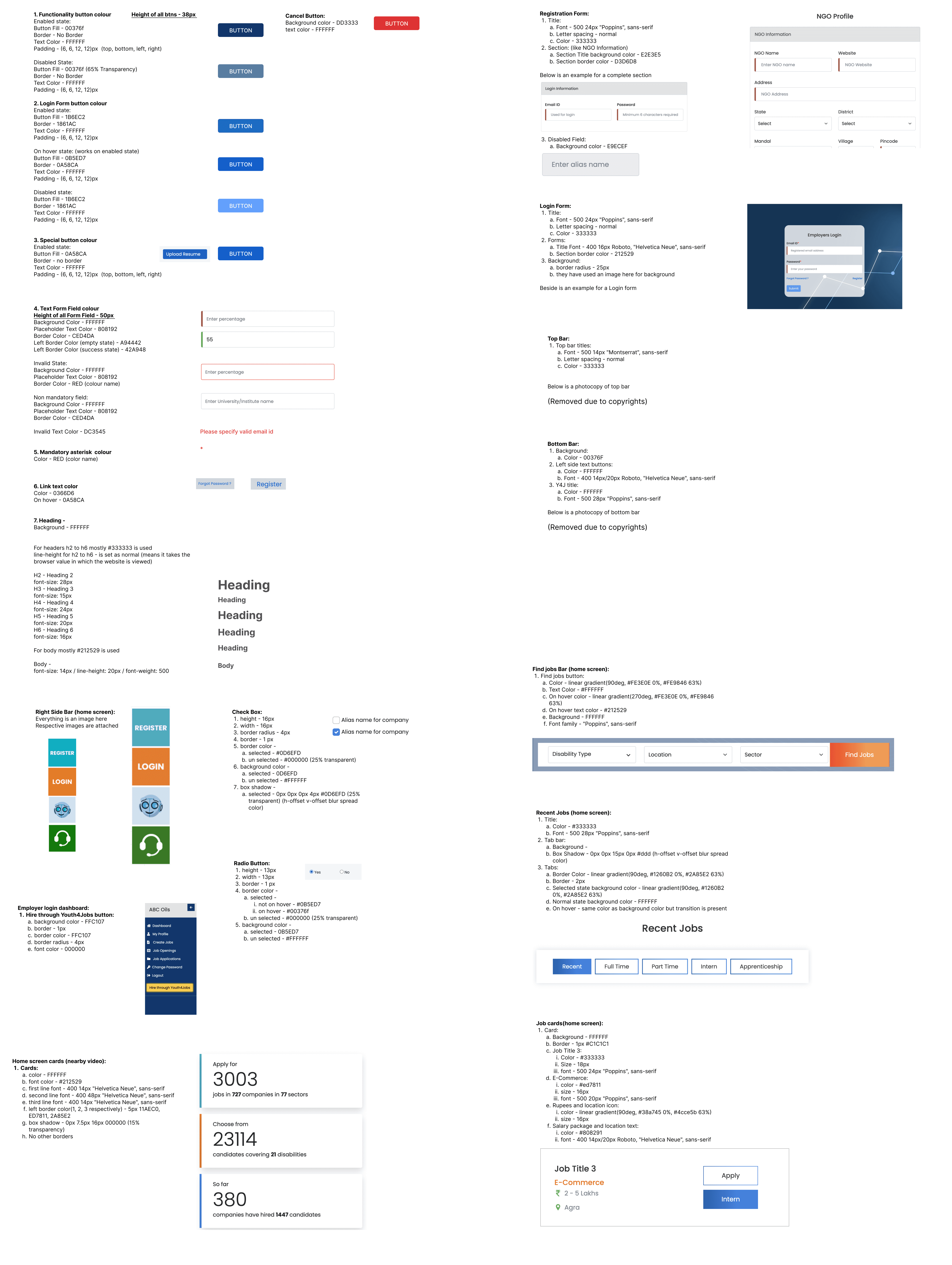
From Components To Consistency
Supporting a more accessible design system
What I worked on
components, buttons, inputs, dropdowns, modals, cards, navigation
Why it mattered
consistency across many flows, easier to scale, more predictable interactions
Accessibility angle
patterns could support clearer, more dependable interactions across the platform
What I worked on
components, buttons, inputs, dropdowns, modals, cards, navigation
Why it mattered
consistency across many flows, easier to scale, more predictable interactions
Accessibility angle
patterns could support clearer, more dependable interactions across the platform
With stronger reusable patterns in place, I applied the same thinking to the workflows users and employers would rely on most.
With stronger reusable patterns in place, I applied the same thinking to the workflows users and employers would rely on most.
Designing clearer workflows
Reducing friction across key product journeys
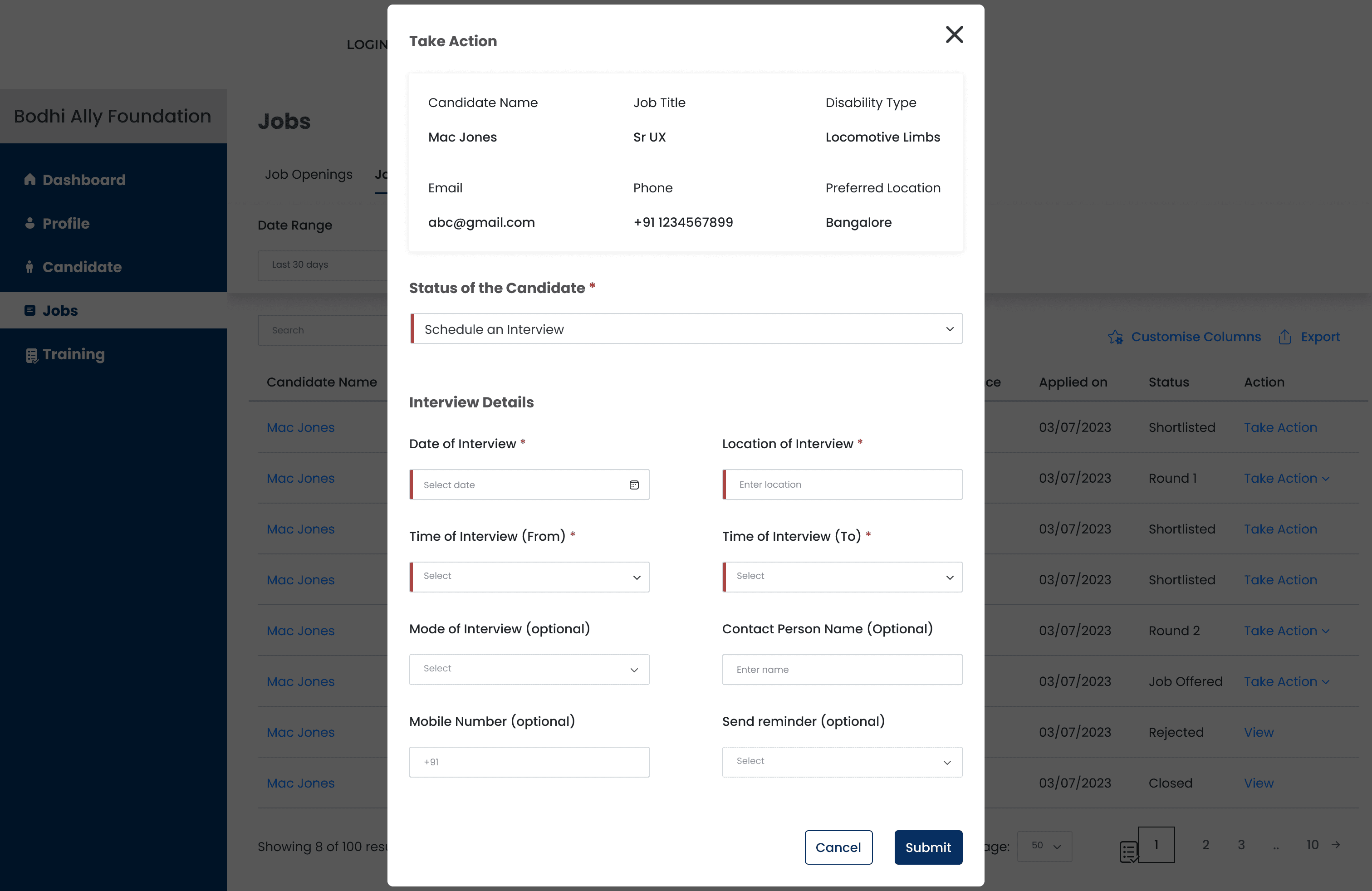
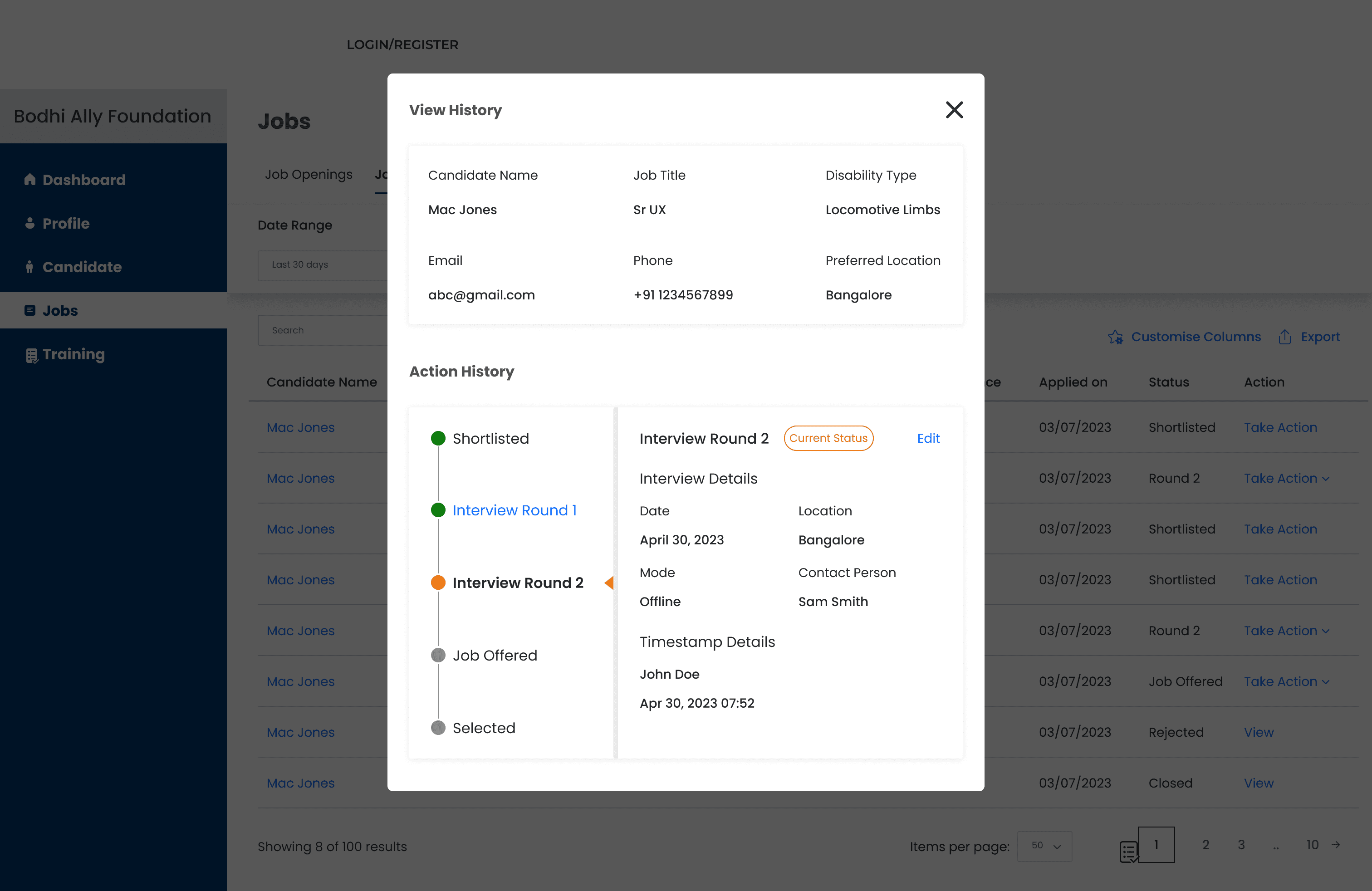
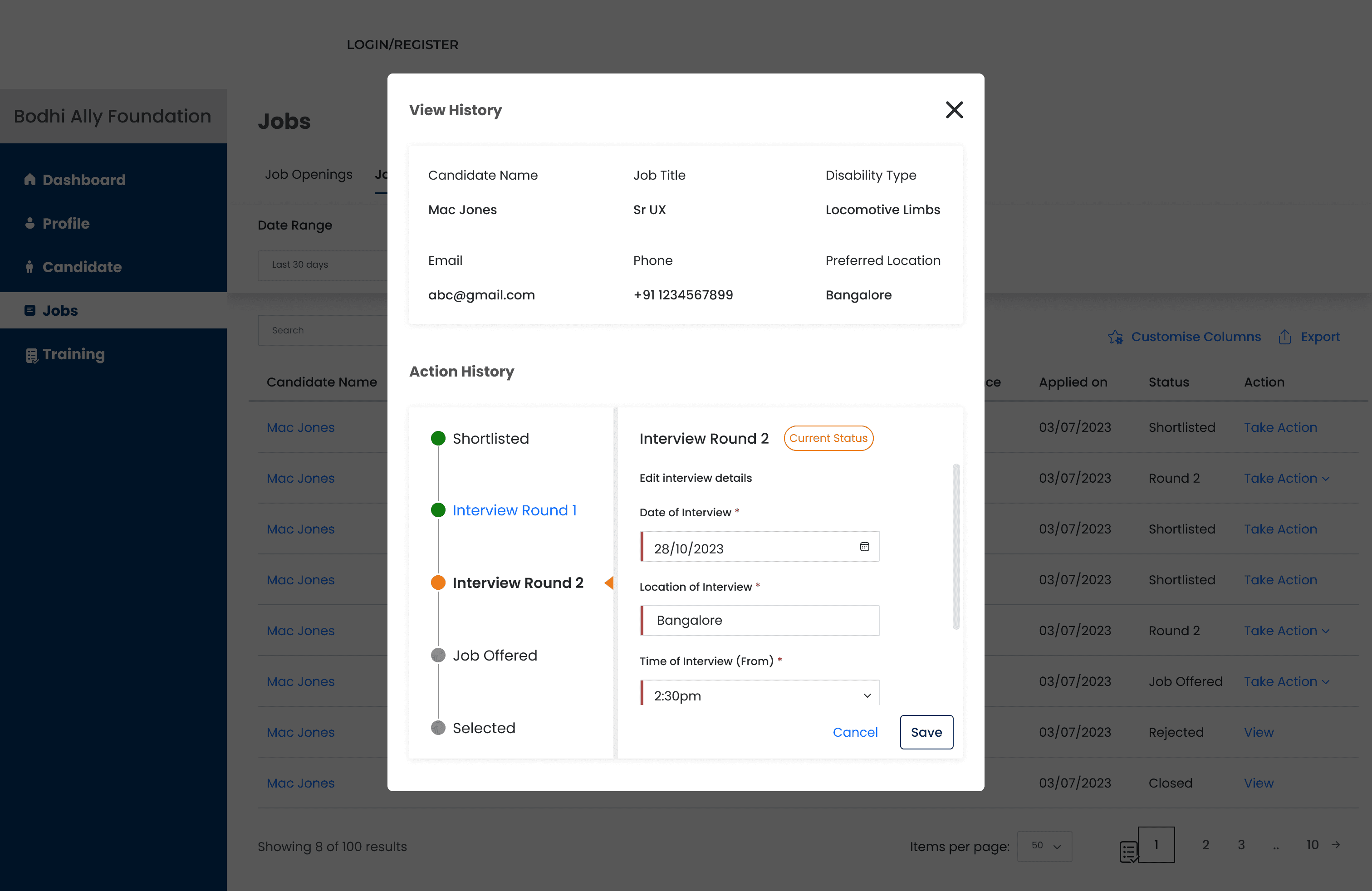
Guidance through interaction states:
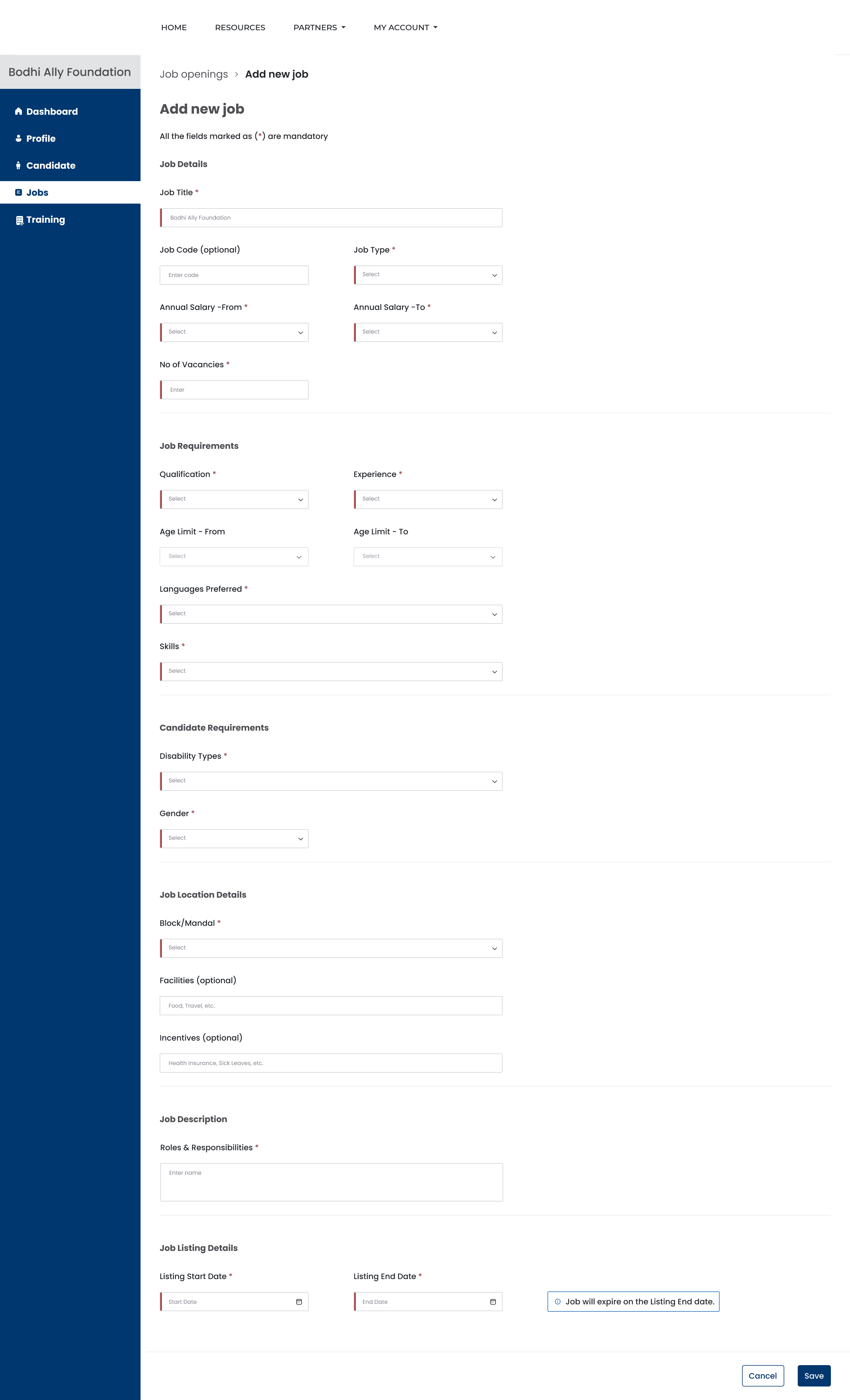
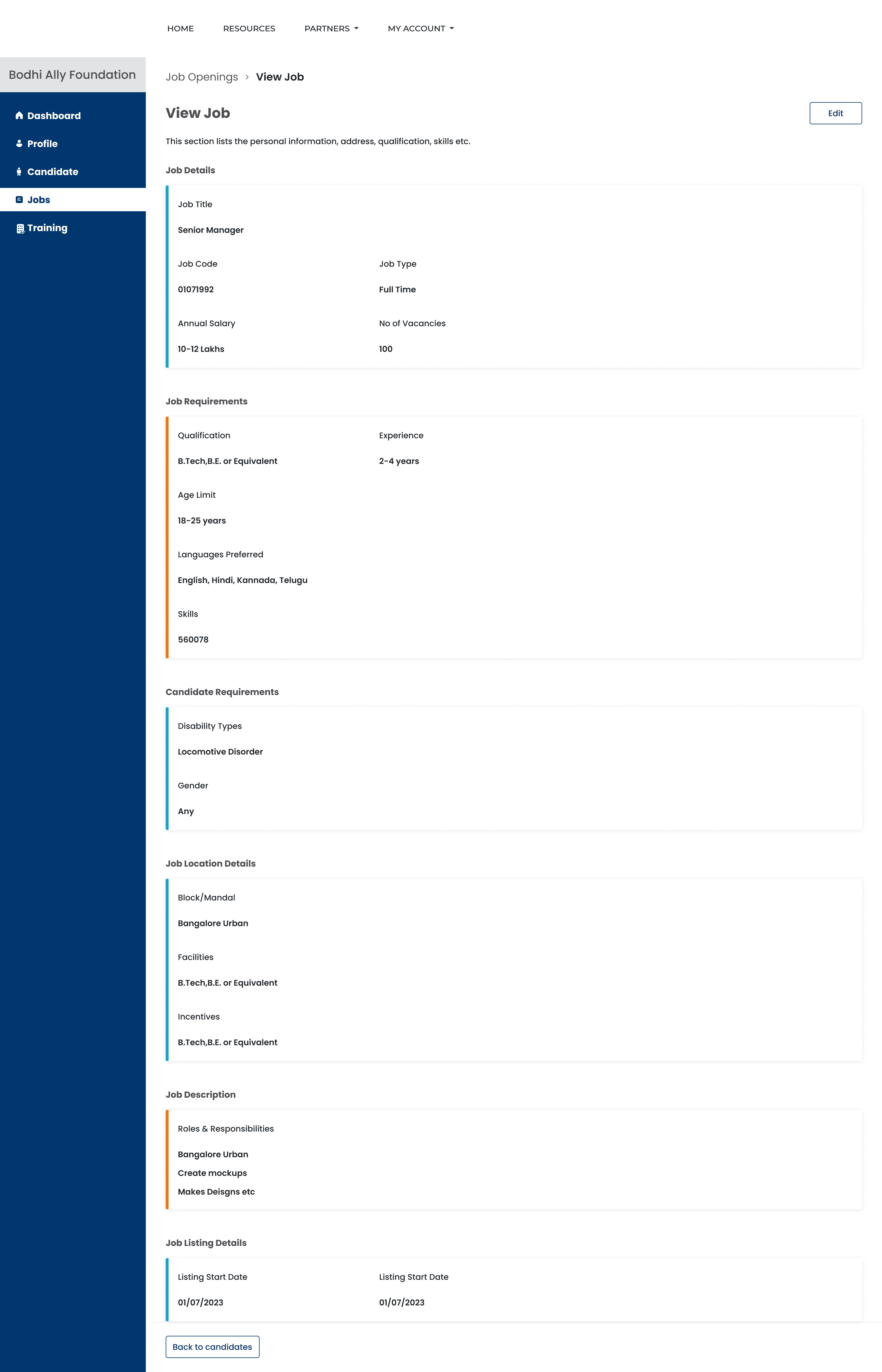
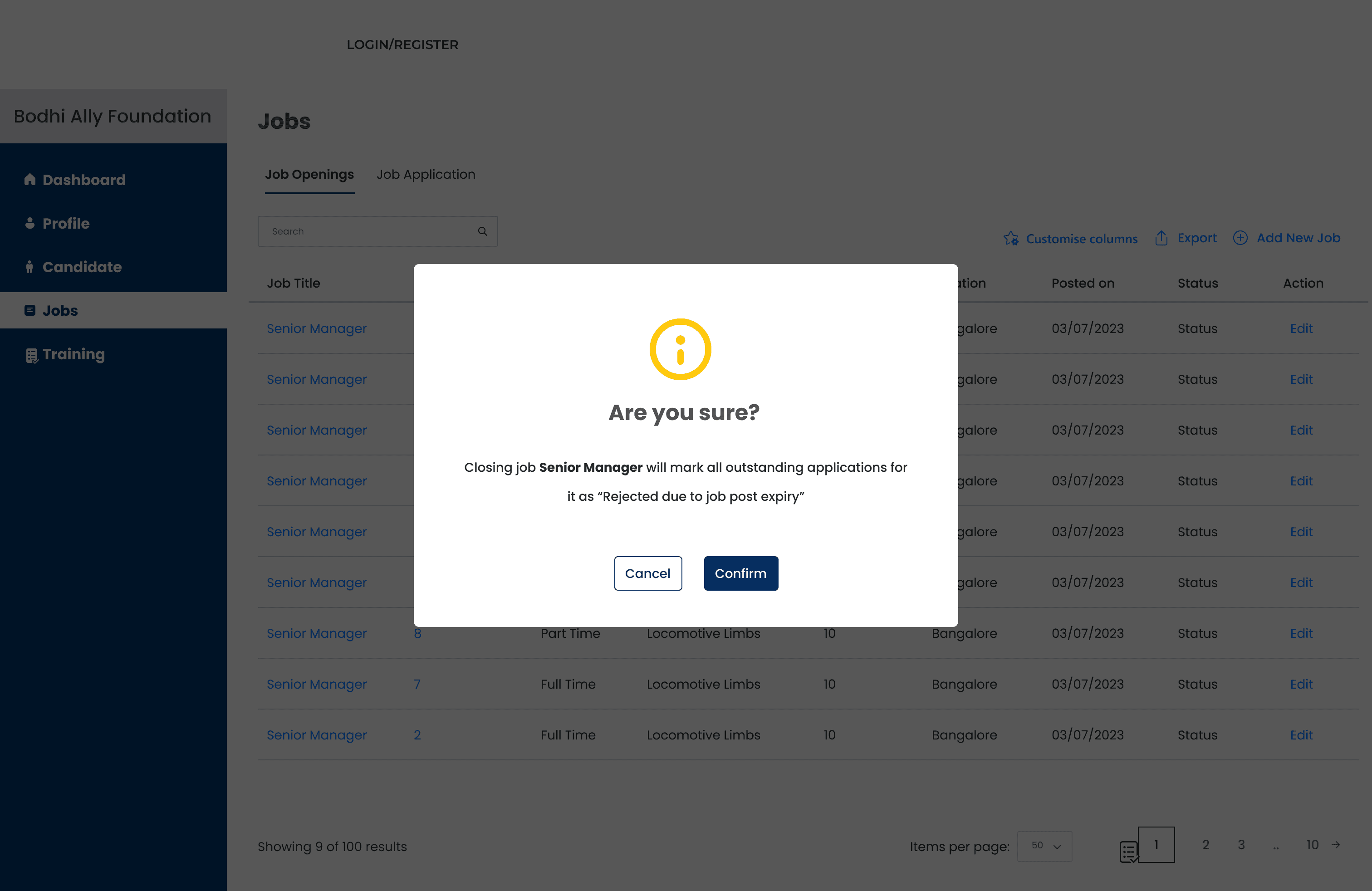
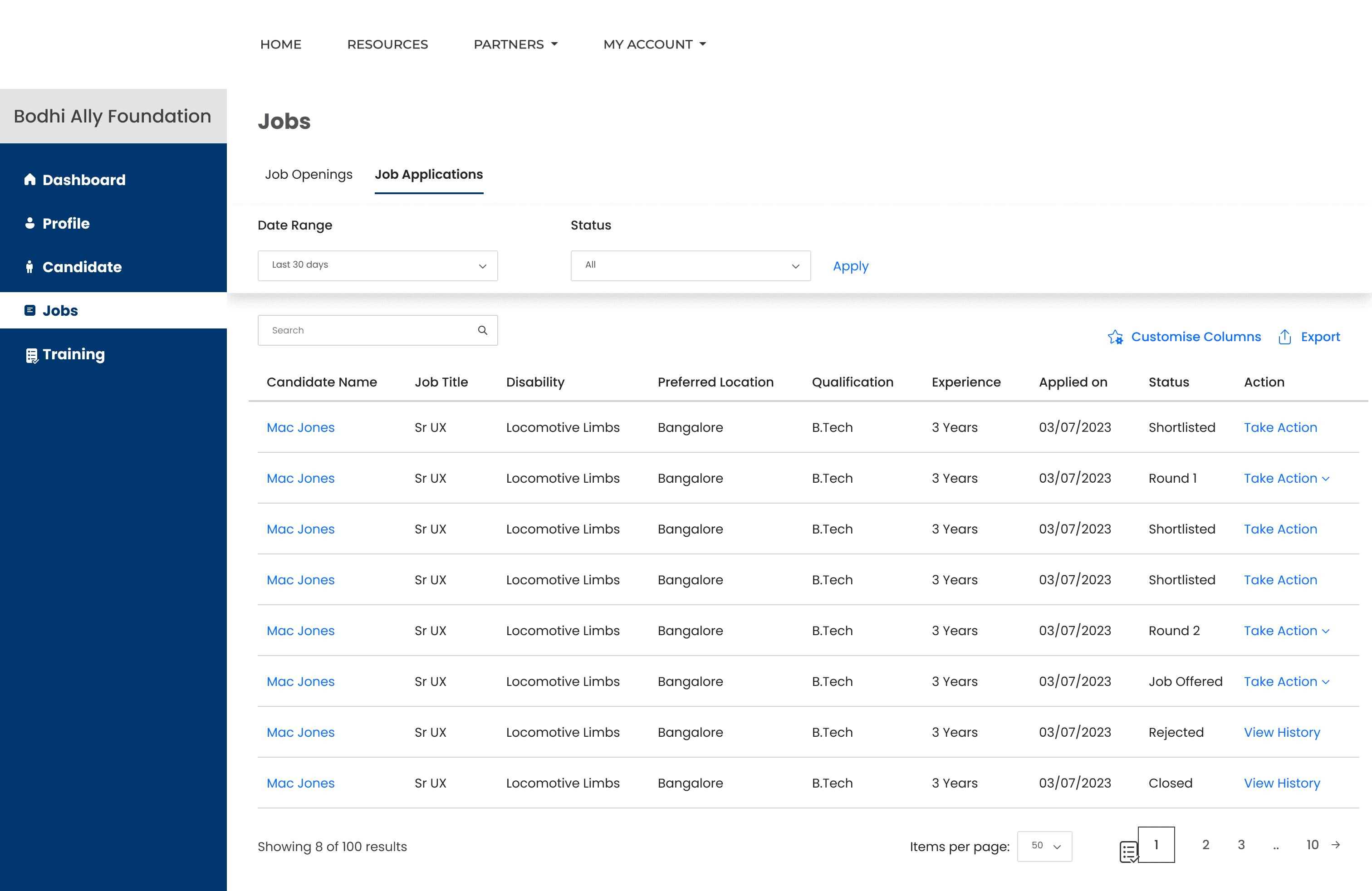
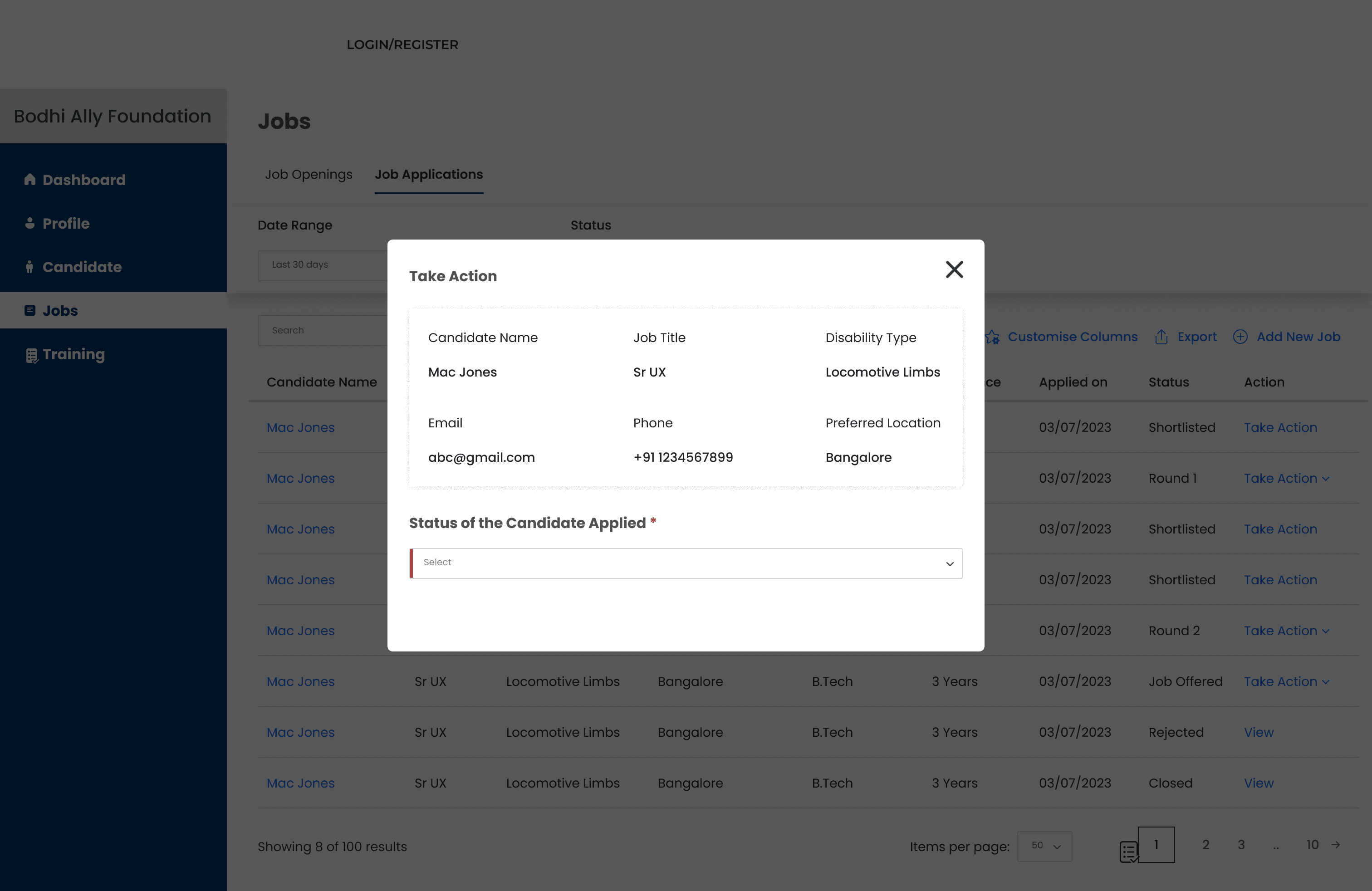
In these flows, small interaction details became important. Elements like overlays, validation messages, progress indicators, and confirmation steps helped reduce uncertainty and made the process feel more guided from one action to the next.
Job Openings Workflow
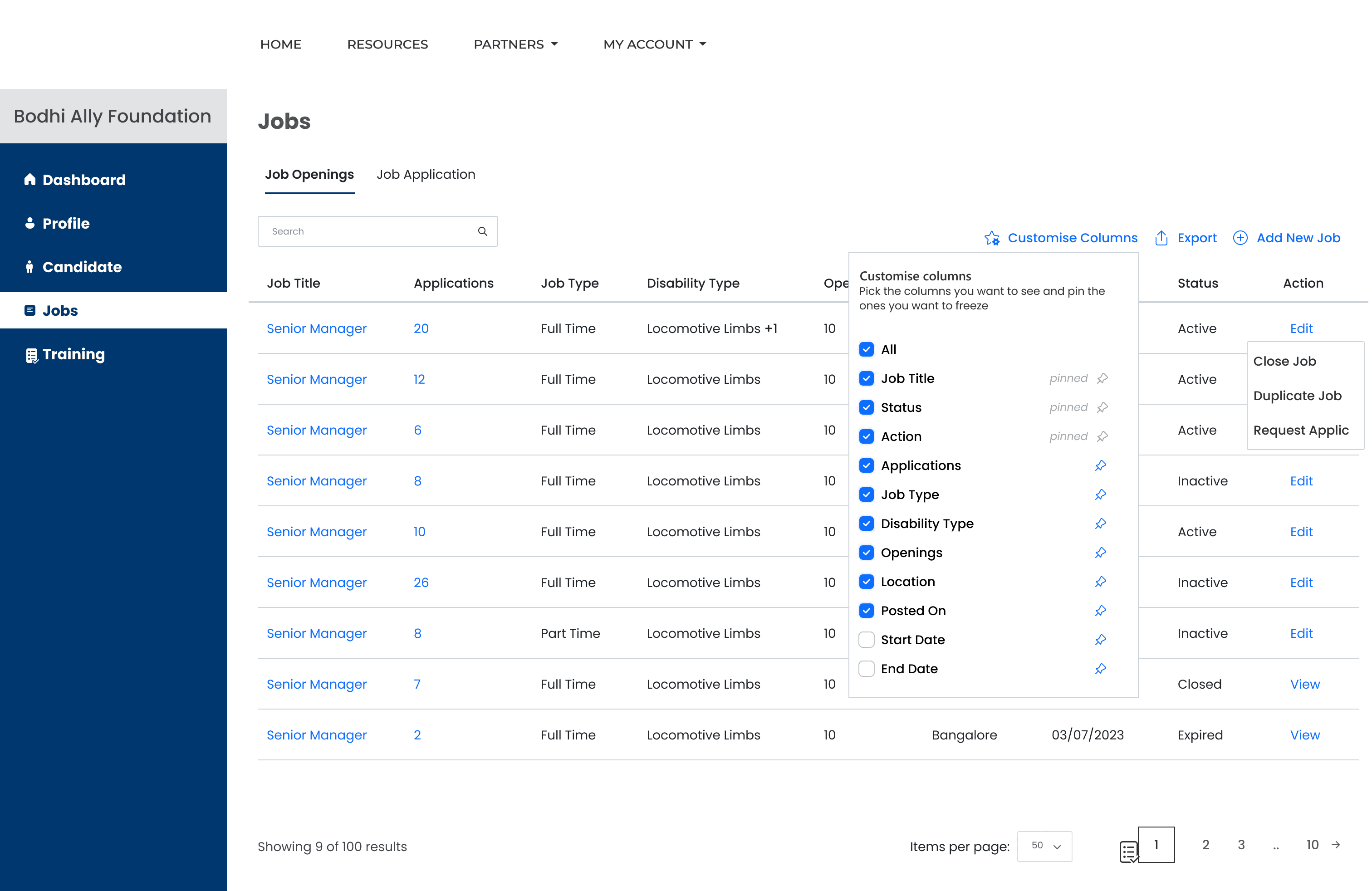
Add Job
View Job
Warning Pop-up Modal
Job Applications Workflow
Take Action
Schedule Interview - 1
Dashboard
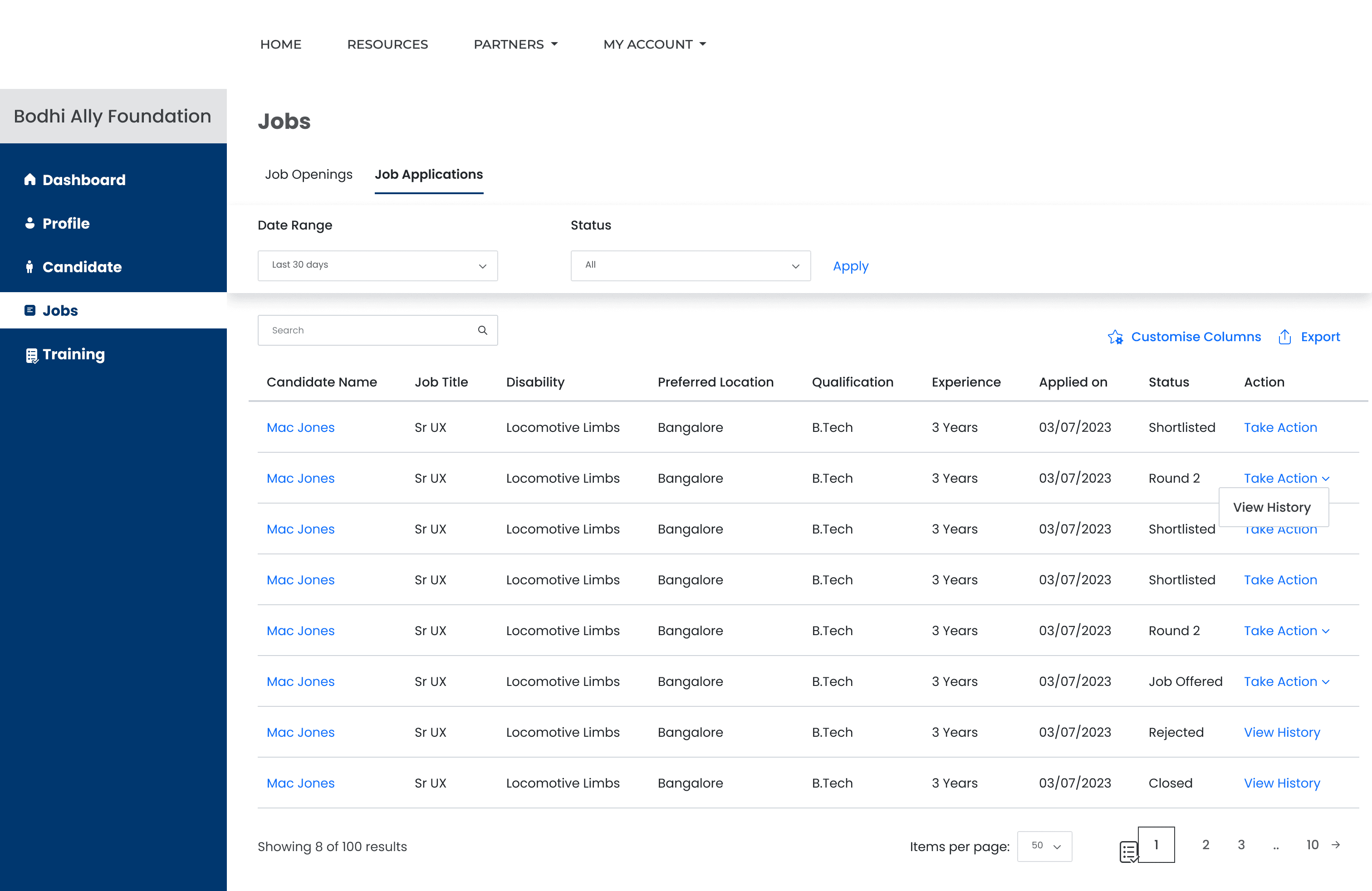
Schedule Interview - 2
View Interview History
Edit Interview History
Because these experiences depended heavily on structured input, form usability became one of the most important parts of the design work.
Because these experiences depended heavily on structured input, form usability became one of the most important parts of the design work.
Designing clearer workflows
Reducing friction across key product journeys
Form design as accessibility work:
These workflows involved a lot of structured input and task completion, so I focused on making them easier to follow through clearer field organization, supportive validation, overlays, and confirmation states that helped users understand where they were in the process.
The same principles also carried into employer-facing workflows, where clarity and maintainability mattered just as much.
The same principles also carried into employer-facing workflows, where clarity and maintainability mattered just as much.
Employer Registration Workflow
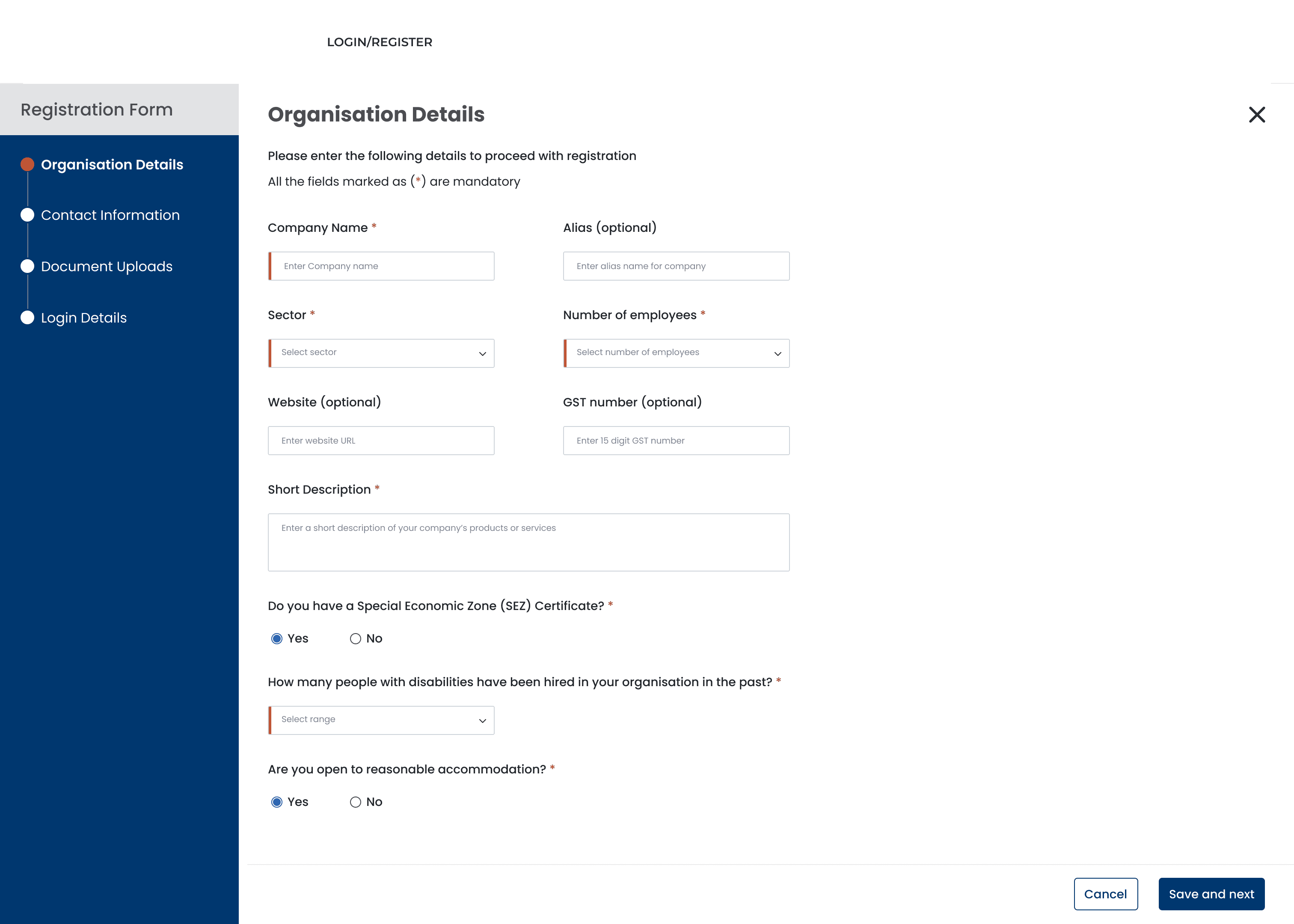
Contact Information
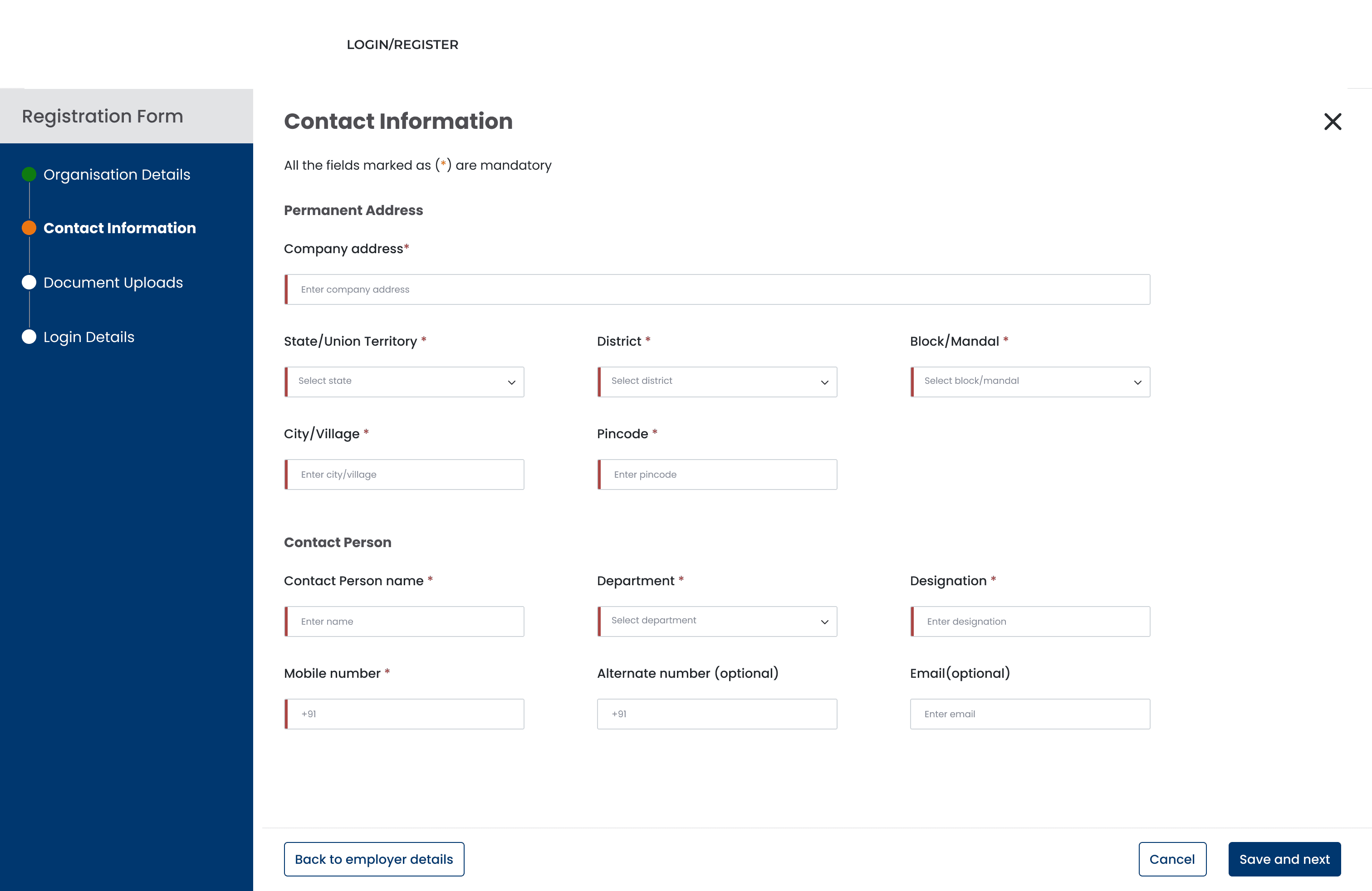
Document Upload
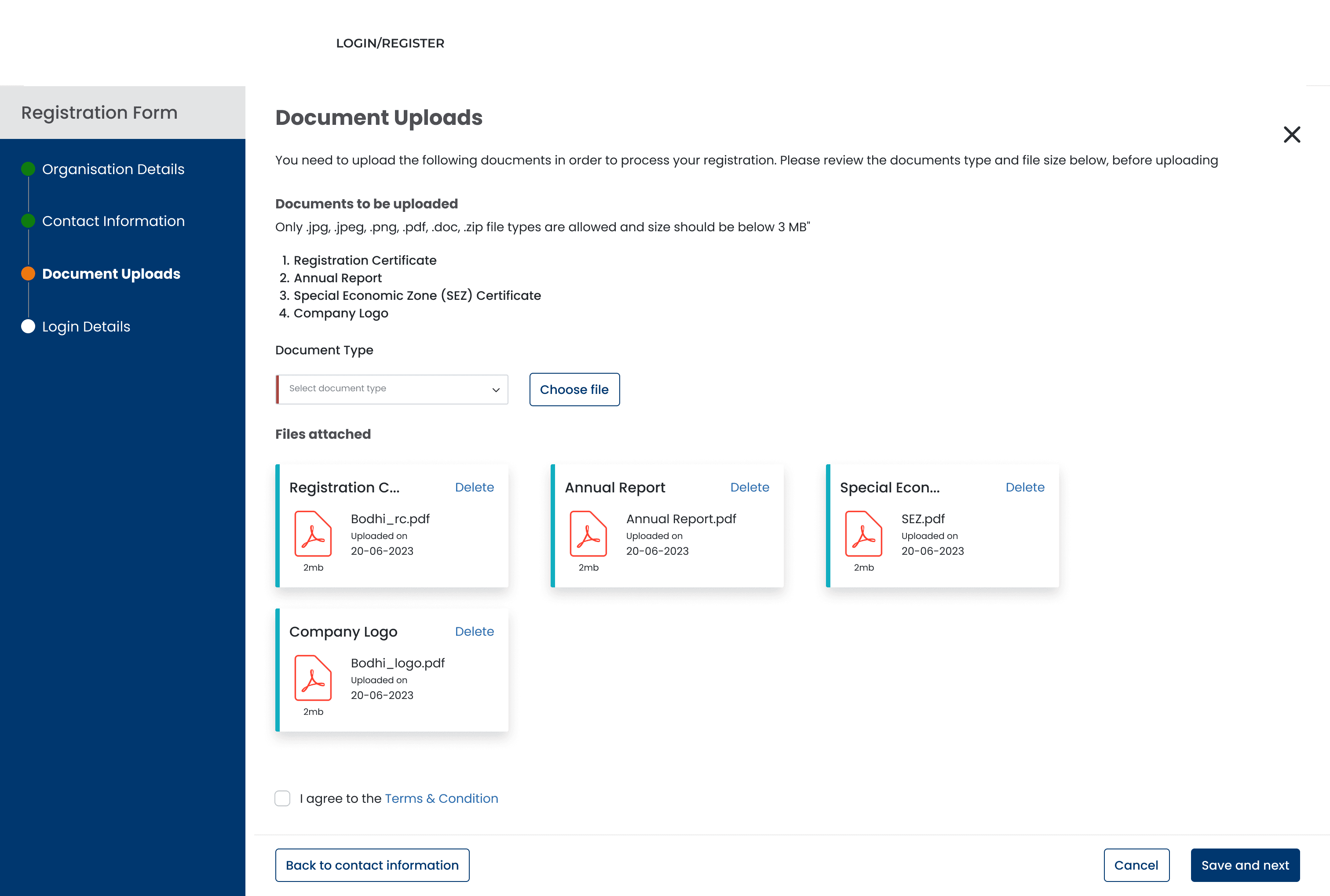
Login Details
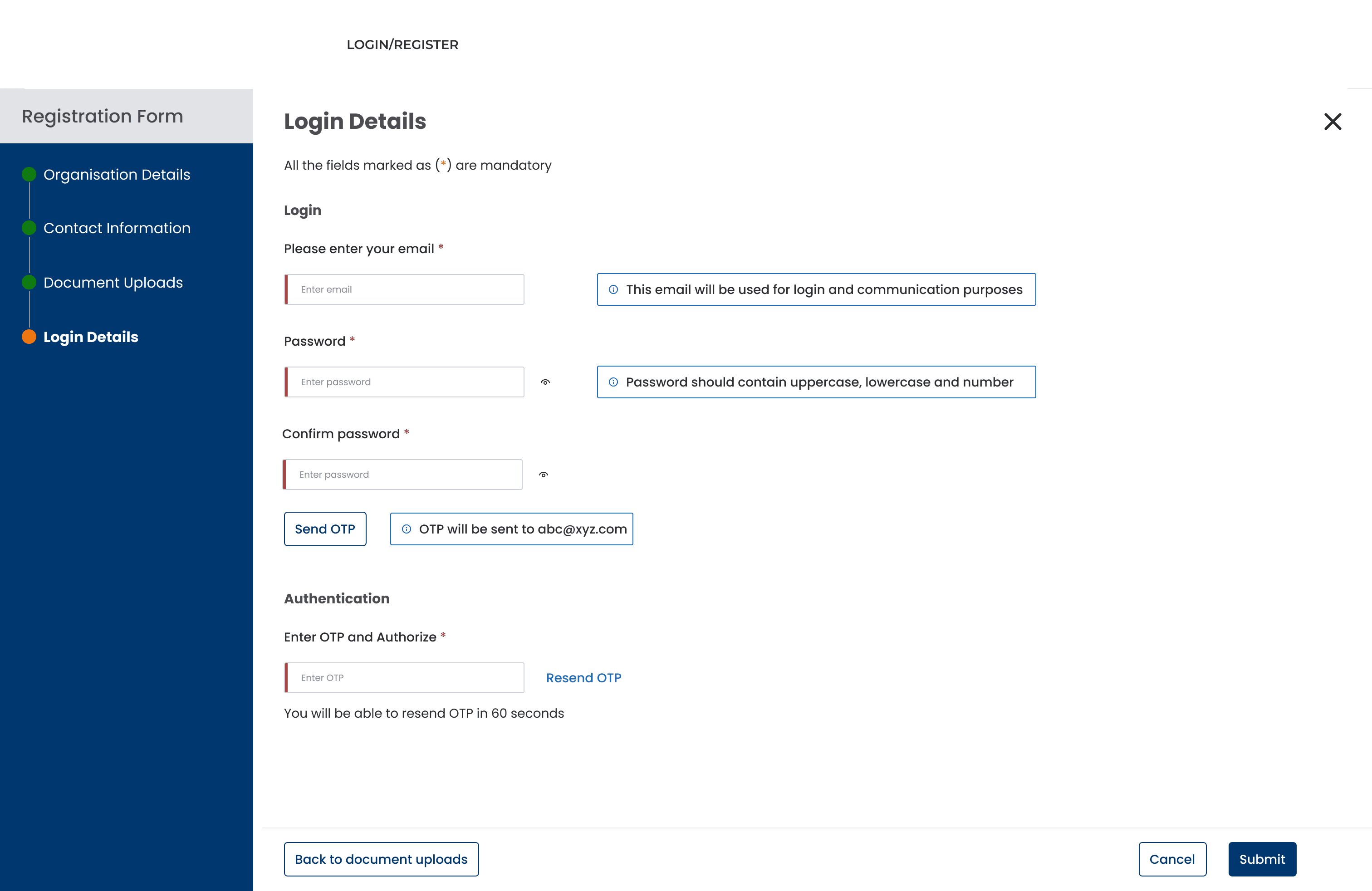
Confirmation Pop-up Modal
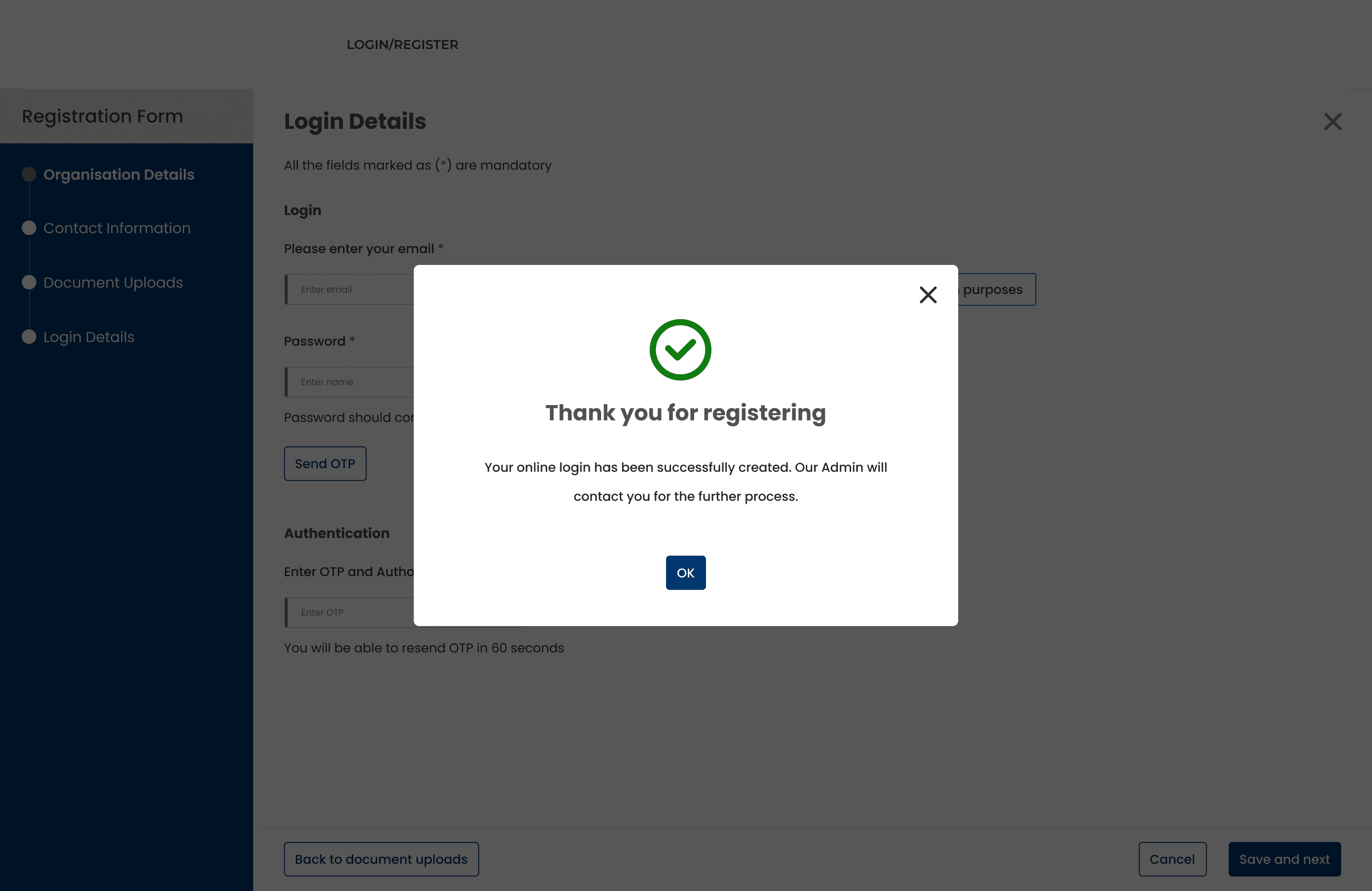
Warning Pop-up Modal
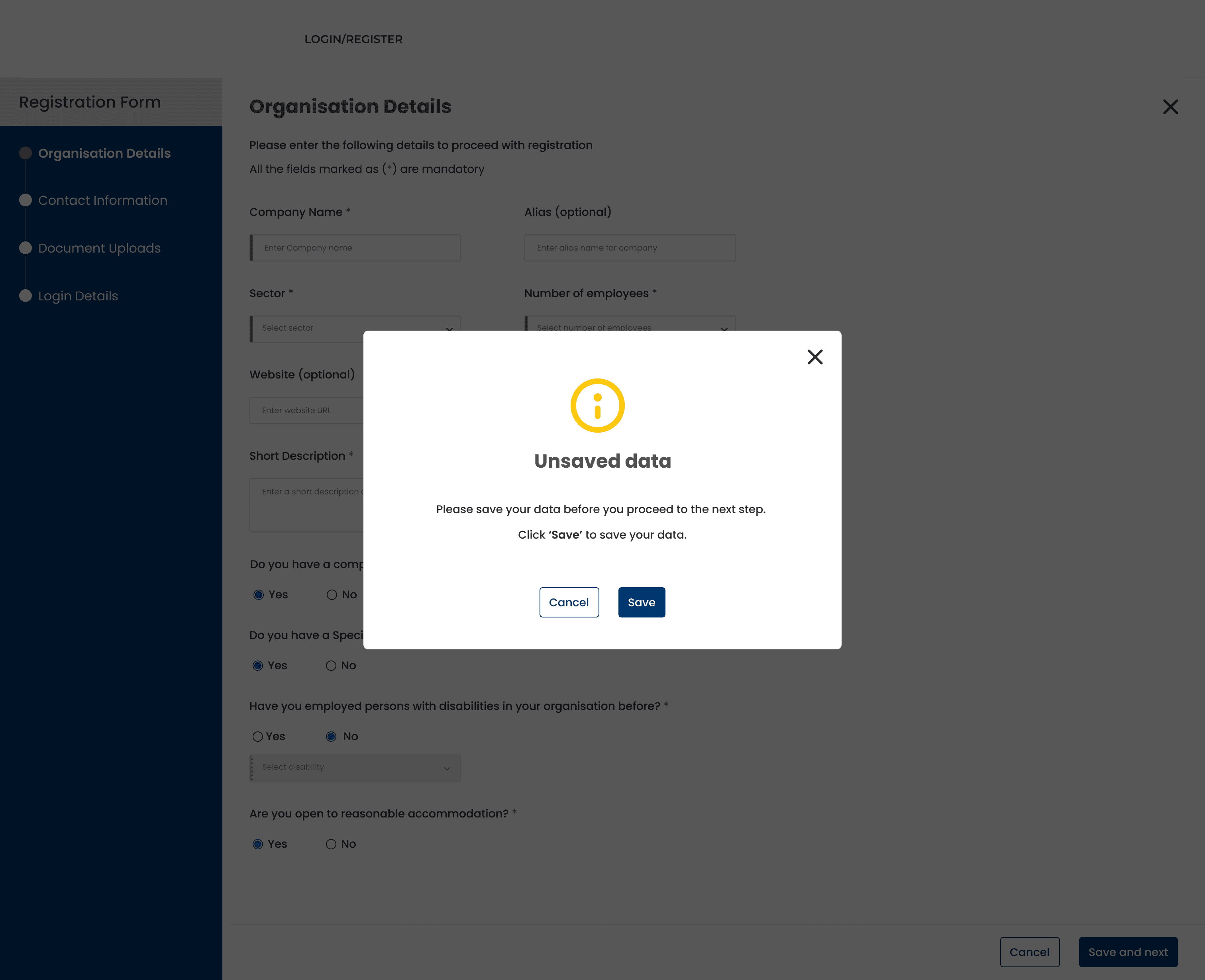
Screen 3/15
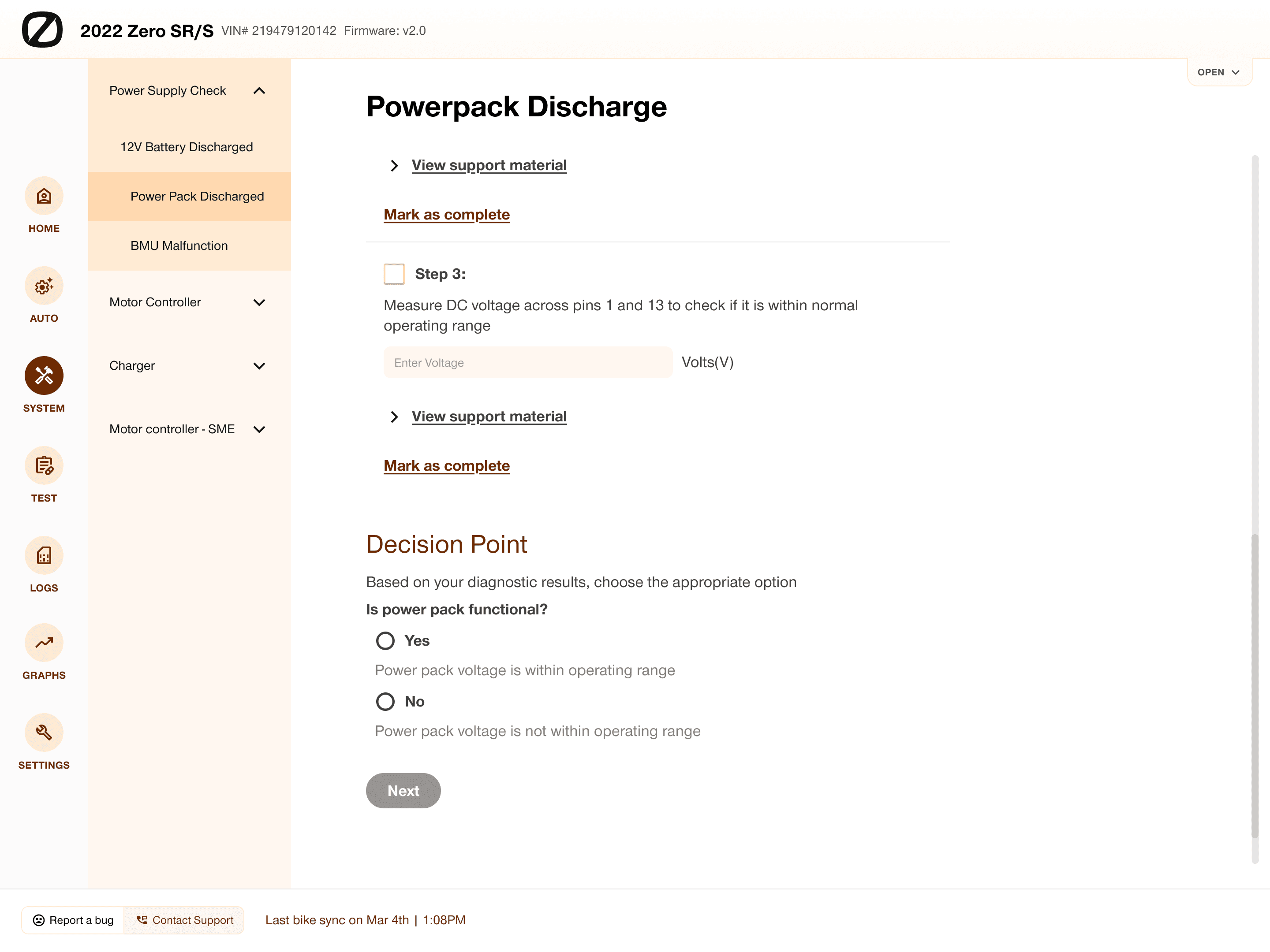
Employer Profile Management Workflow
Verification Pending
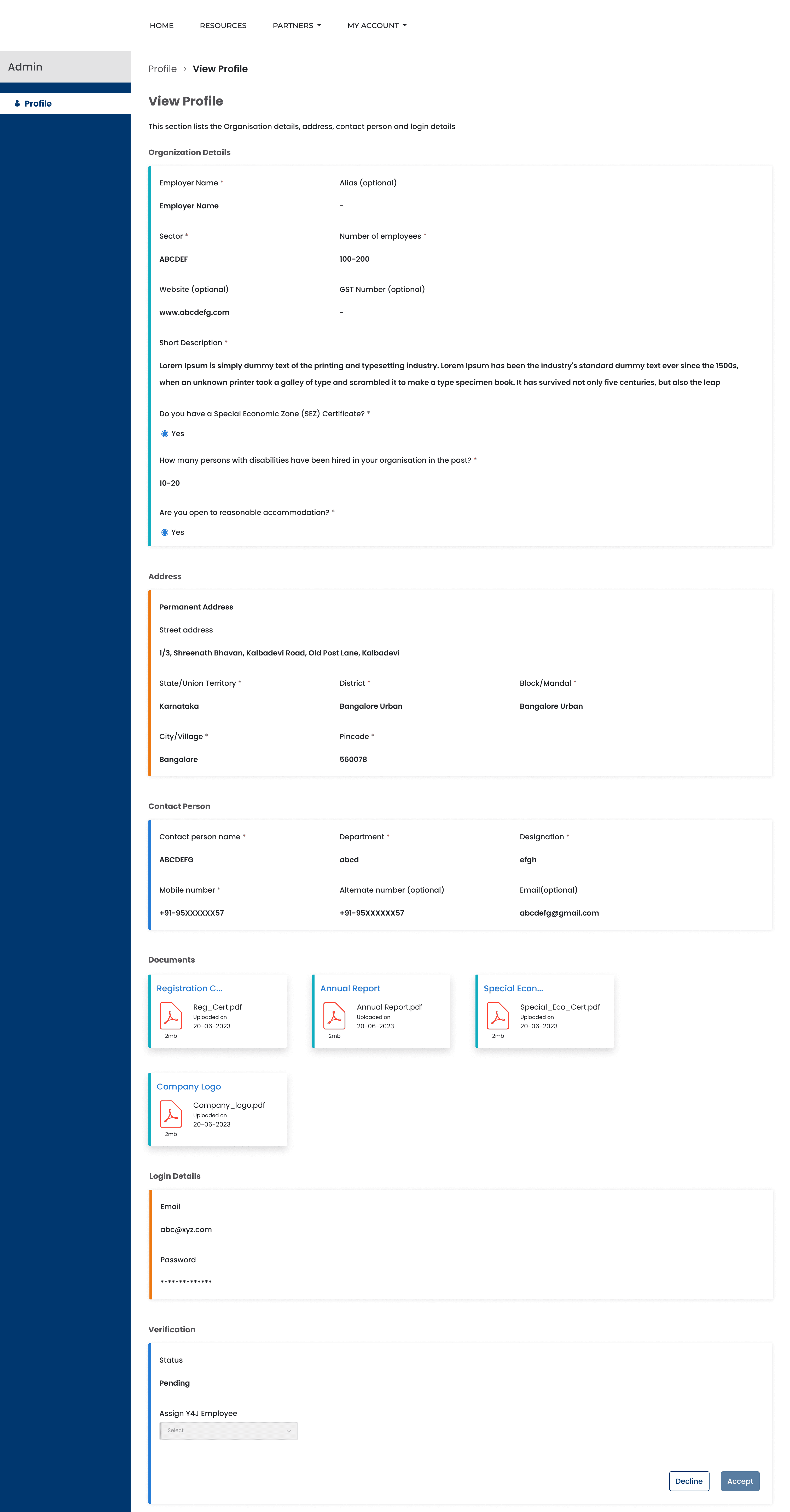
Verification In Progress
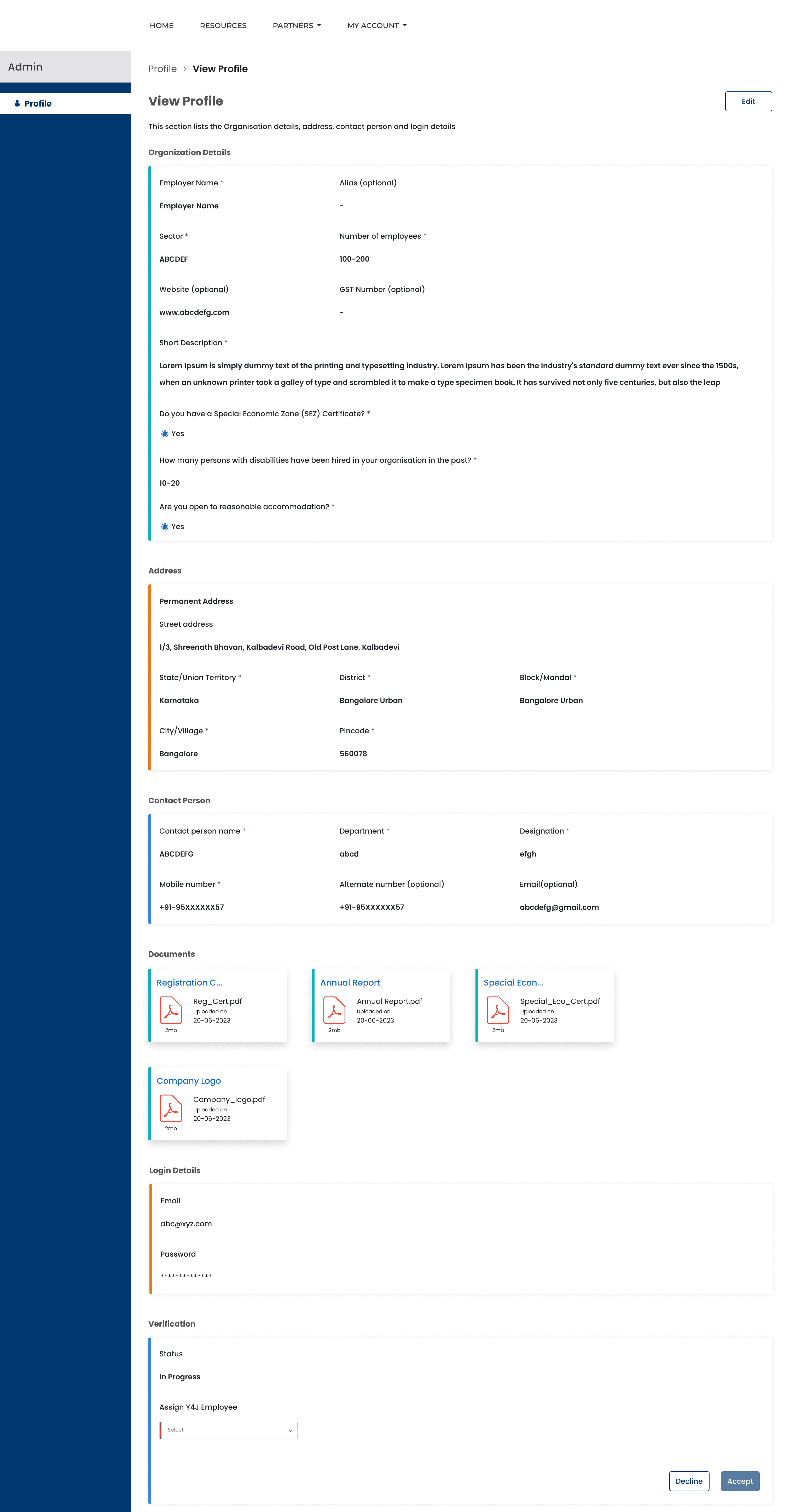
Verification In Progress - 2
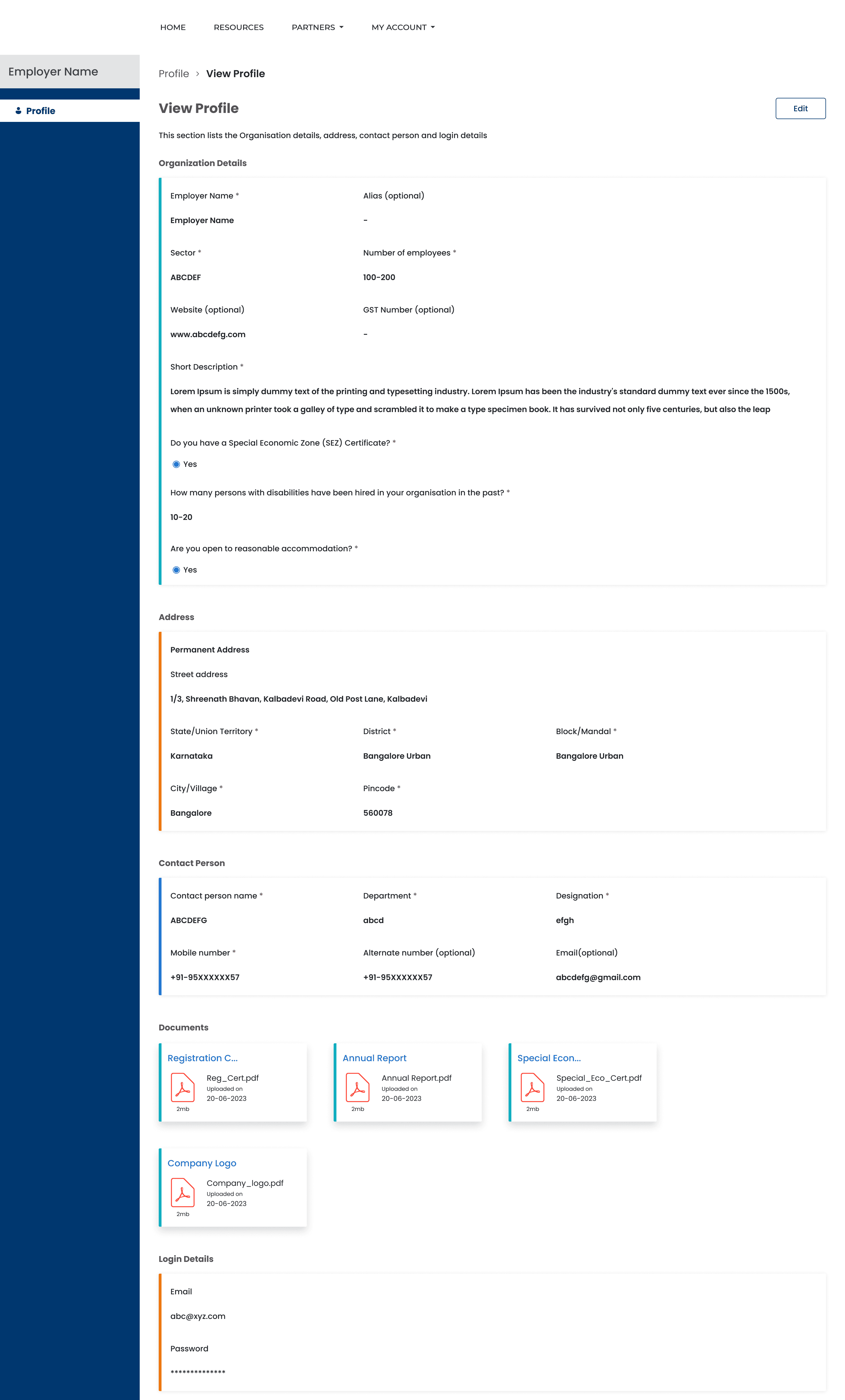
Profile Active
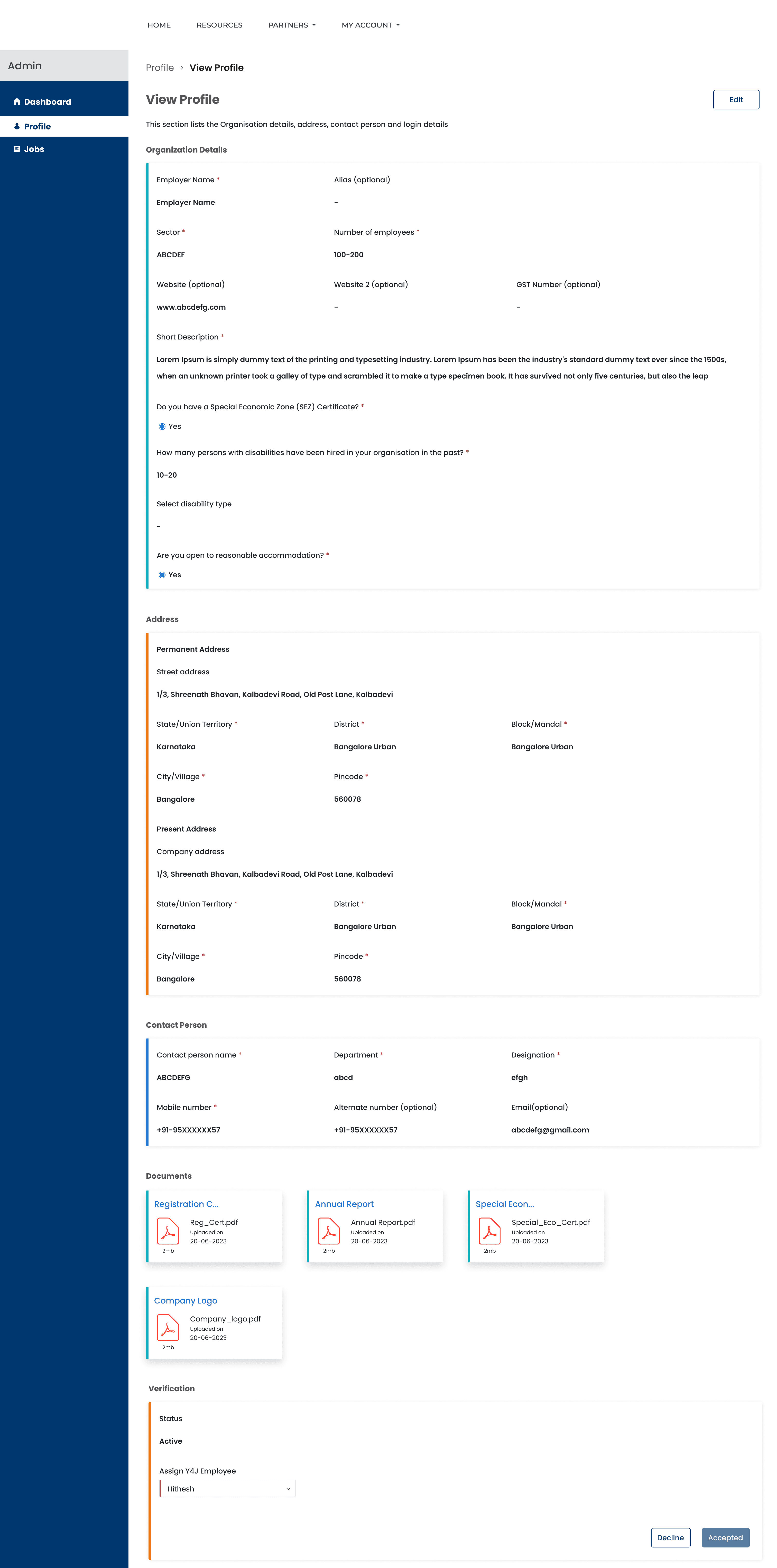
Profile Active - 2
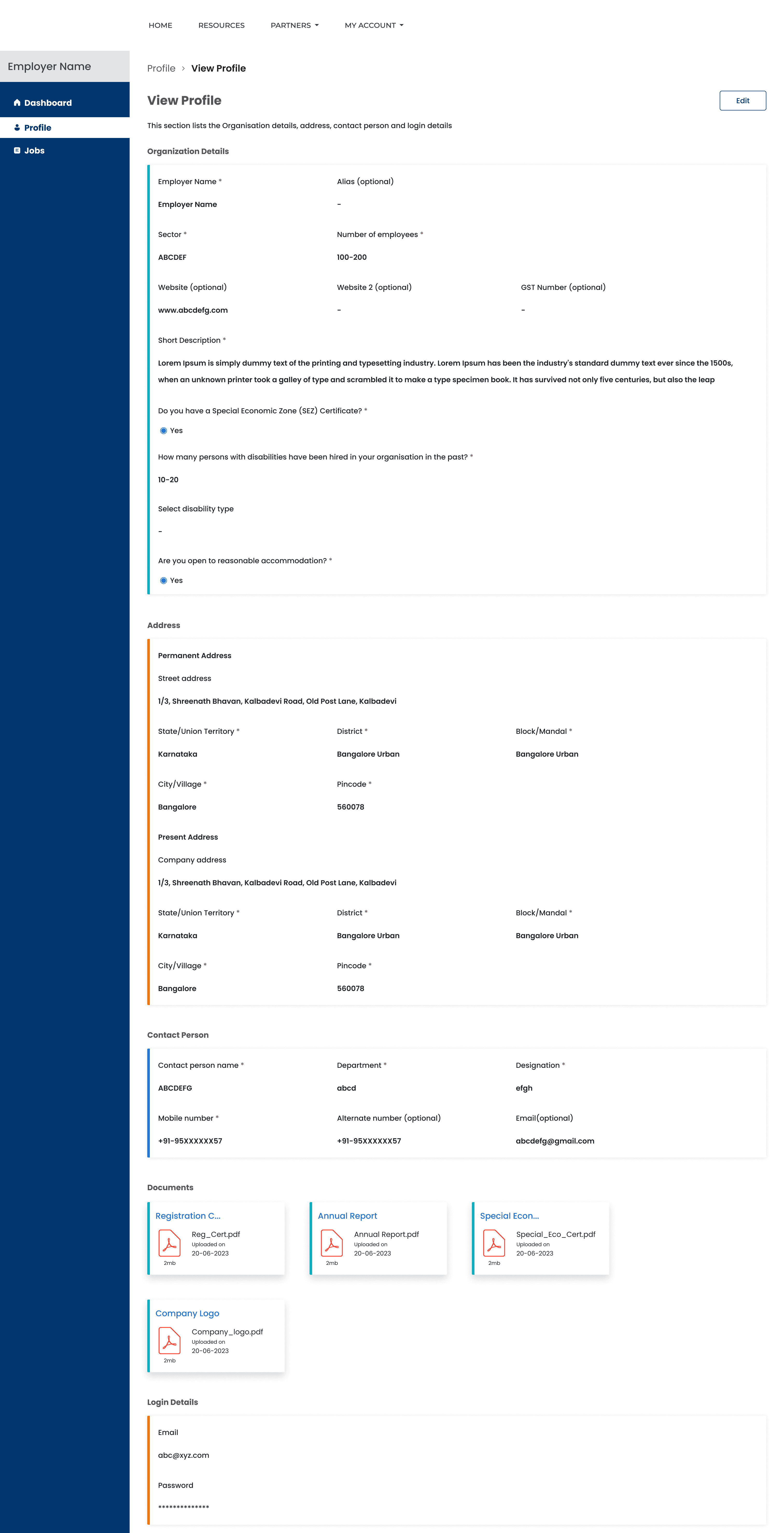
Edit Profile
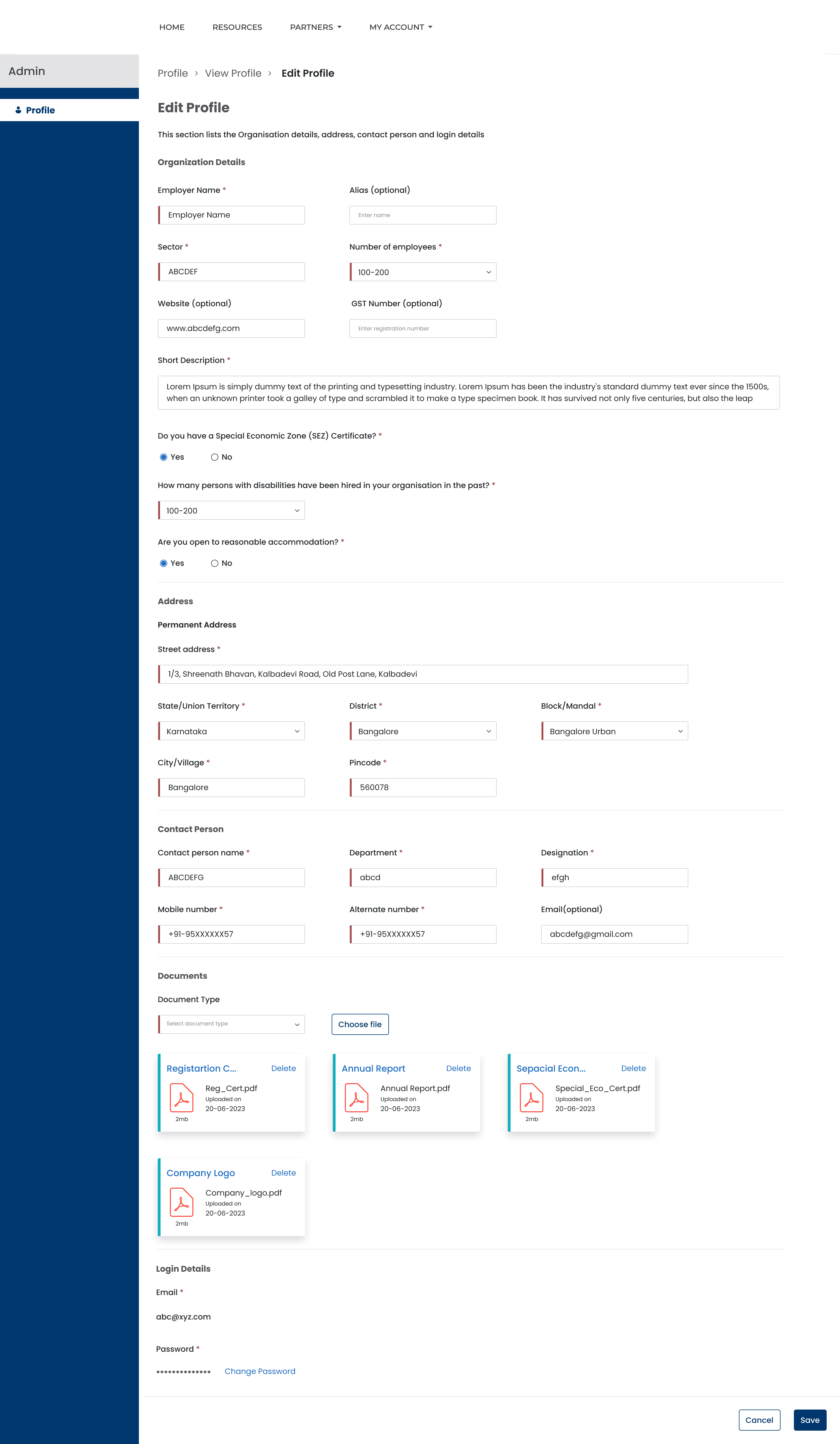
Edit Profile - 2
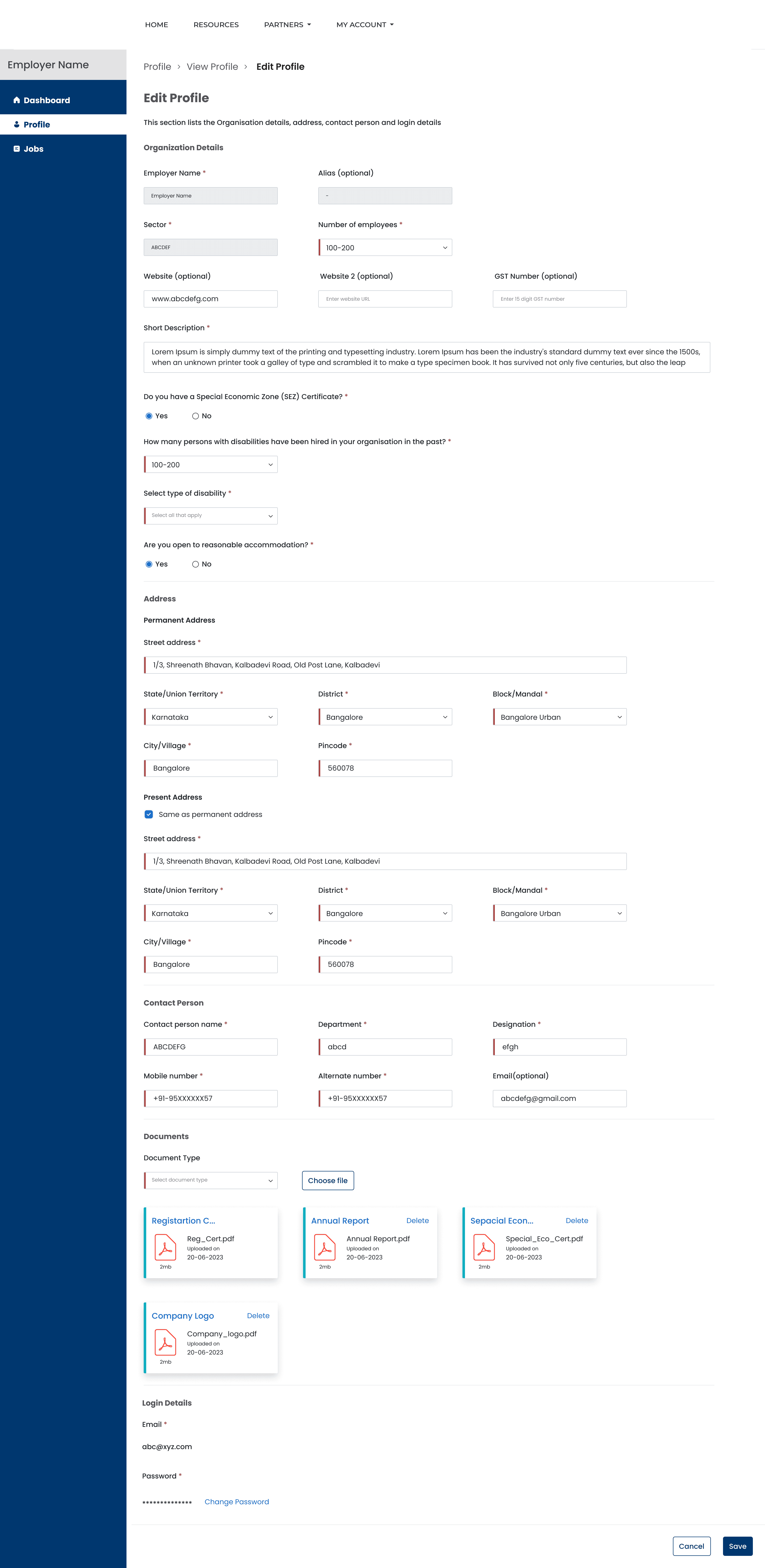
Profile Active - 2
Screen 3/15
Where This Landed
Live
SwarajAbility grew into a platform with significant adoption and recognition, supporting candidates, employers, and job opportunities at scale. While this impact was the result of a broader team effort, it was meaningful to contribute to a product where accessibility and social impact were central to the work.
SwarajAbility grew into a platform with significant adoption and recognition, supporting candidates, employers, and job opportunities at scale. While this impact was the result of a broader team effort, it was meaningful to contribute to a product where accessibility and social impact were central to the work.
1. 226,984 Registered Candidates Across 18 Disabilities
2. 116,954 Total Job Vacancies Listed
3. Over 1200 Inclusive Employers Registered
1. 226,984 Registered Candidates Across 18 Disabilities
2. 116,954 Total Job Vacancies Listed
3. Over 1200 Inclusive Employers Registered
1. 226,984 Registered Candidates Across 18 Disabilities
2. 116,954 Total Job Vacancies Listed
3. Over 1200 Inclusive Employers Registered
Recognition and Awards
So who noticed?
So who noticed?
Nasscom Foundation’s TechForGood Award 2024: Awarded the Nasscom Foundation’s TechForGood Award 2024 in the category “AI for Social Good” under the segment “Segment B Not-For-Profit.
D4GX India Empowerment Challenge 2024: Awarded the 2024 D4GX India Empowerment Challenge in the category “Data to enable Learning & Livelihood”.
The Economics Times - Entrepreneur - Summit & Awards 2024: Awarded the 'Best Service Provider of the Year in Web & Mobile App Development’ (Jury Recommendation) by The Economics Times - Entrepreneur - Summit & Awards 2024.
8th eNortheast Award 2023: Awarded the 8th eNortheast Award, 2023 for Best Digital Innovation in the category of Livelihood & Enterprise Development.
Nasscom Foundation’s TechForGood Award 2024: Awarded the Nasscom Foundation’s TechForGood Award 2024 in the category “AI for Social Good” under the segment “Segment B Not-For-Profit.
D4GX India Empowerment Challenge 2024: Awarded the 2024 D4GX India Empowerment Challenge in the category “Data to enable Learning & Livelihood”.
The Economics Times - Entrepreneur - Summit & Awards 2024: Awarded the 'Best Service Provider of the Year in Web & Mobile App Development’ (Jury Recommendation) by The Economics Times - Entrepreneur - Summit & Awards 2024.
8th eNortheast Award 2023: Awarded the 8th eNortheast Award, 2023 for Best Digital Innovation in the category of Livelihood & Enterprise Development.
Nasscom Foundation’s TechForGood Award 2024: Awarded the Nasscom Foundation’s TechForGood Award 2024 in the category “AI for Social Good” under the segment “Segment B Not-For-Profit.
D4GX India Empowerment Challenge 2024: Awarded the 2024 D4GX India Empowerment Challenge in the category “Data to enable Learning & Livelihood”.
The Economics Times - Entrepreneur - Summit & Awards 2024: Awarded the 'Best Service Provider of the Year in Web & Mobile App Development’ (Jury Recommendation) by The Economics Times - Entrepreneur - Summit & Awards 2024.
8th eNortheast Award 2023: Awarded the 8th eNortheast Award, 2023 for Best Digital Innovation in the category of Livelihood & Enterprise Development.
Takeaway
This project strengthened my belief that accessibility is not a specialized add-on. It is a core part of creating respectful and usable experiences. It also showed me how quickly meaningful contribution can happen when learning, collaboration, and attention to detail come together in the design process.
This project strengthened my belief that accessibility is not a specialized add-on. It is a core part of creating respectful and usable experiences. It also showed me how quickly meaningful contribution can happen when learning, collaboration, and attention to detail come together in the design process.